Mental Health & Wellbeing
Private guidance from approved specialists within the applicable scope and platform rules.
Icon and final category data placeholder
Cirkonity connects users with approved specialists across multiple consultation categories. Submit a private question, receive offers from experts registered in the matching specialty, choose the right offer and pay through a protected workflow before receiving the answer.
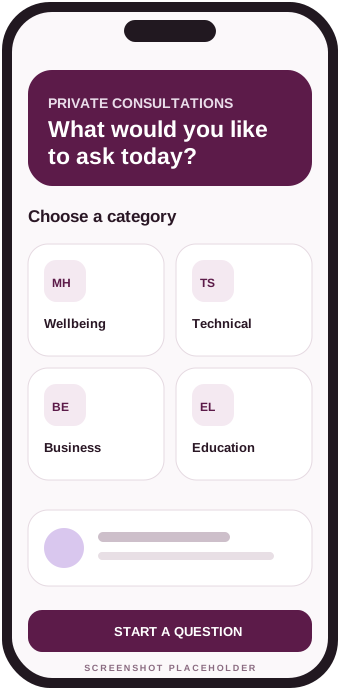
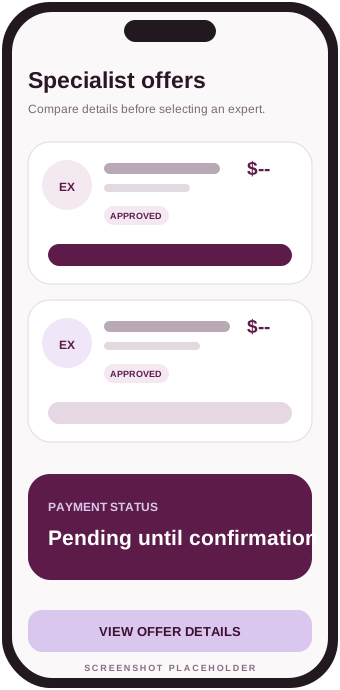
Every request follows a clear process designed to give users choice while ensuring specialists receive only questions related to their approved specialty.
Select the consultation category that best matches the question.
Describe the situation and include the information needed for specialists to understand the request.
Only approved specialists registered under the selected specialty can receive the request and submit an offer.
Review specialist profiles, ratings, proposed prices and offer details before choosing.
The selected specialist provides the consultation answer through the application.
Confirm receipt to release earnings, or open a dispute when the answer was not received or there is a qualifying issue.
Categories shown here are examples. The final live list will be managed by Cirkonity administrators and may expand as new specialties are approved.
Private guidance from approved specialists within the applicable scope and platform rules.
Icon and final category data placeholderHelp with devices, software, systems, troubleshooting and other approved technical topics.
Icon and final category data placeholderConsultations covering operations, planning, growth, customer service and business decisions.
Icon and final category data placeholderSupport for learning strategies, academic planning, skills development and approved education topics.
Icon and final category data placeholderPractical consultations related to organization, habits, personal development and daily-life topics.
Icon and final category data placeholderAccess to approved experts offering specialized professional knowledge within defined categories.
Icon and final category data placeholderNew categories may be added by the Cirkonity administration after review and approval.
Icon and final category data placeholderThe platform combines specialist matching, transparent offers and a protected-payment process in one private consultation experience.
Users decide which expert to select after reviewing available offers and profile information.
Requests are shared only with approved specialists registered under the matching specialty.
Questions, answers and related messages are handled within the private application workflow.
Users can compare proposed prices and offer details before paying and selecting an expert.
Completed consultations can contribute to specialist reputation, subject to platform rating rules.
Payment remains pending until confirmation, automatic release without dispute, or an admin decision.
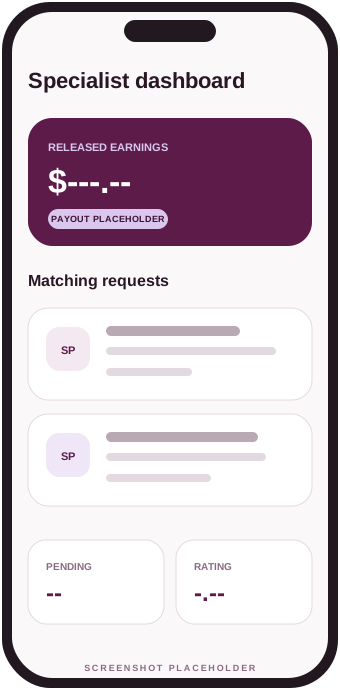
Each specialist registers under one specialty and must complete the required approval process before receiving consultation requests. This keeps matching focused and helps users understand the expert’s area of practice.
Cirkonity holds the user’s payment within the platform workflow while the consultation is pending. This is a platform-managed payment release process and is not presented as a legally regulated escrow service.
When the user does not confirm and no dispute is opened, the payment automatically releases after the configured period, which will be set between five and seven days.
Opening a dispute before release pauses the normal release process while an administrator reviews the consultation and decides the financial outcome.
A dispute may be opened when the user states that an answer was not received or another qualifying issue occurred. The payment release remains paused during review.
After review, an administrator may release funds to the specialist, refund the user, split or otherwise settle the amount when supported by the platform’s final policies and available payment capabilities.
Cirkonity combines protected consultations with community, learning, opportunity and private self-development tools.
Submit questions and manage consultation communication inside the application.
Review specialty, profile details, reputation and available information before choosing.
Compare proposed prices and offer details from matching approved specialists.
Receive and review consultation answers in a dedicated private area.
Confirm that an answer was received so specialist earnings can be released.
Open a dispute before release and provide information for administrator review.
Rate completed consultations according to the platform’s rating rules.
Receive updates about offers, answers, confirmations, disputes, releases and payouts.
Share posts by area of interest, follow useful contributors, comment and use “Cirk it” to engage.
Create structured polls, vote, compare community results and request paid specialist feedback.
Create or join public and private interest groups with members, moderators and group chat.
Publish opportunities, filter open roles, apply from the app and manage application progress.
Discover and save approved documents, articles, videos, audio and useful external resources.
Keep consultation and community conversations together with unread states and notifications.
Complete scored reflection assessments and receive supportive, clearly non-diagnostic guidance.
Maintain private journal, mood, cycle and calendar records with lock and cloud-sync controls.
Cirkonity will publish policies that explain data handling, acceptable consultation use, payment outcomes, specialist responsibilities and payout conditions.
These answers summarize the planned Cirkonity workflow. Final operational details will be governed by the published application policies.
Cirkonity supports broad, approved areas such as wellbeing, technical support, business, engineering, education, cars, lifestyle, professional services and future categories.
Only approved specialists registered under the specialty that matches the category selected for the question can receive the request and submit an offer.
Yes. You can review available offers, prices, specialist profiles and rating information before selecting an expert.
You pay after selecting an offer and before the specialist provides the answer. The payment remains pending within the platform workflow until confirmation, automatic release without dispute, or an admin decision.
When no dispute is opened, the payment automatically releases after the configured five-to-seven-day period so funds do not remain pending indefinitely.
The normal payment release pauses. An administrator reviews the question, offer, answer, messages and supporting information before deciding the financial outcome.
After earnings are released, eligible specialists can request or receive payout through an approved payout method supported by Cirkonity. Final methods and timing will appear in the Specialist Payout Terms.
The planned model allows each specialist to be approved under one specialty. This keeps matching clear and limits requests to the specialist’s approved area.
No. A consultation provides information or professional guidance within the specialist’s approved scope. Users remain responsible for decisions and should follow emergency or professional-service guidance described in the Consultation Disclaimer.
Official Google Play and Apple App Store links will be added here when publishing is complete. Current buttons are clearly marked placeholders.
Submit questions, review specialist offers, receive answers, manage confirmation and follow payment status from the Cirkonity mobile application.
Use the form for general inquiries, specialist onboarding questions, business requests or support-related messages.